 Responsive Miracle
 This Pacdora review looks at a browser-based packaging tool that promises a 3D mockup and a print-ready dieline in minutes. If you design packaging — or you just need a client to see how a box will look before it goes to print — most of that work is still done the slow way: hunting for a PSD mockup, fighting with smart objects in Photoshop, and re-drawing dielines from scratch.
Pacdora is a browser-based packaging design platform that replaces most of that. You pick a box, bottle, pouch or bag, upload your artwork, and get a 3D preview and a print-ready dieline in a couple of minutes. No Photoshop, no plugins, nothing to install.
For this Pacdora review we spent a few hours inside the editor to see where it actually saves time and where it doesn’t. Here’s the short version, then the details.
Verdict
The short version of this Pacdora review: it is the quickest way to turn flat artwork into a realistic 3D packaging mockup and a print-ready dieline. It’s ideal for agencies, freelancers and brand owners who need client-ready visuals fast. Designers who need full control over lighting and render quality will still reach for Photoshop or Blender for hero shots.
What Pacdora is
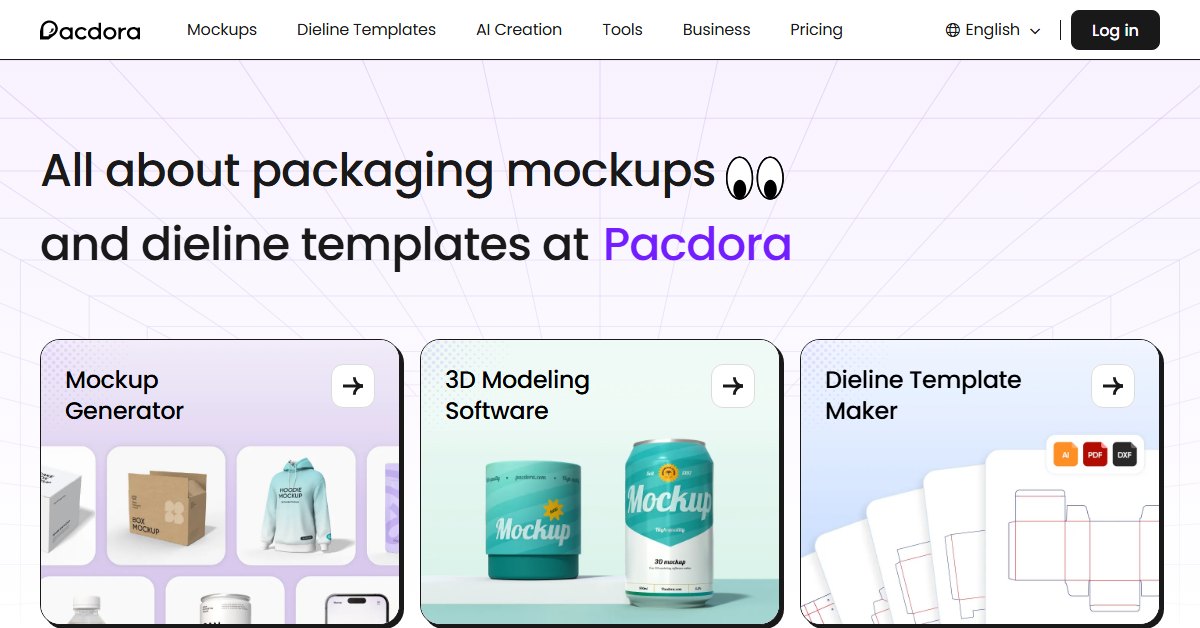
Pacdora is an online packaging design tool with three parts that work together:
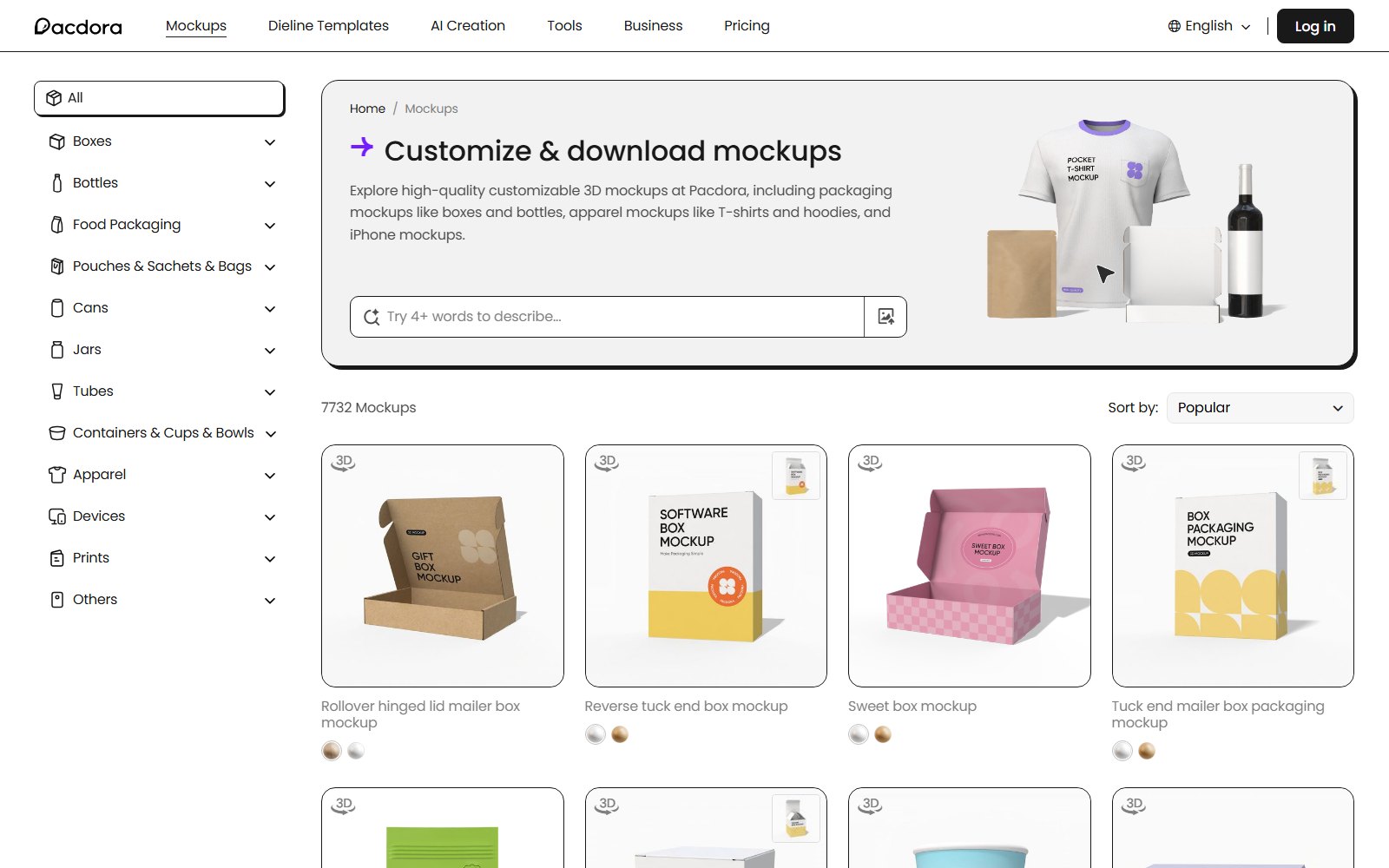
- A mockup library — 7,732 ready packaging mockups when we counted in September 2026: boxes, bottles, pouches, cans, tubes, bags, food packaging and more.
- A dieline generator — 2,060 dieline templates where you set the exact dimensions, material and paper thickness, then export print-ready files.
- A 3D editor — drop your artwork on the model, rotate it, change the background and export images.
Everything runs in the browser, and your files stay in your Pacdora workspace, so you can come back and edit a project later.
What this Pacdora review tested
Mockup generator
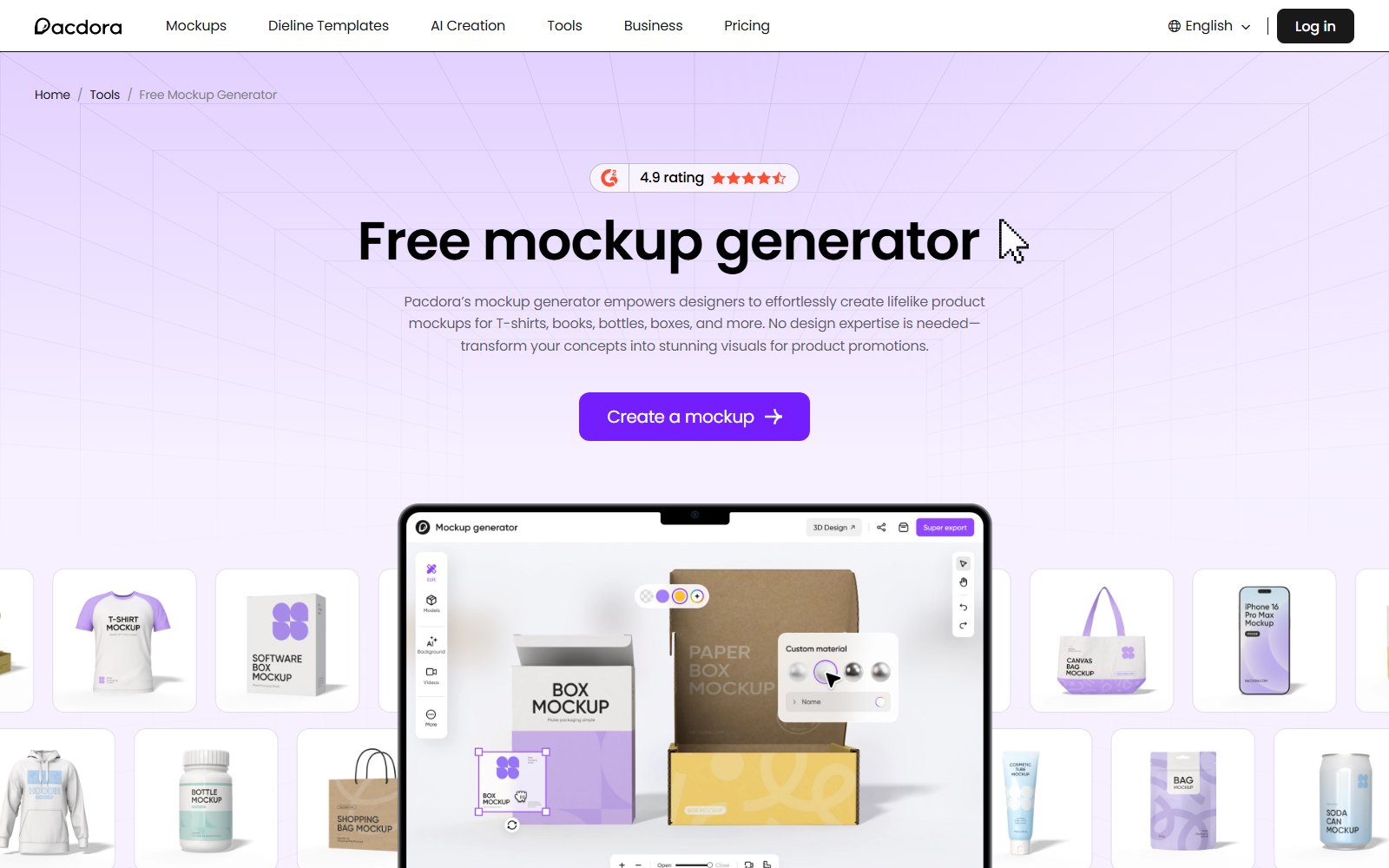
You upload a design, Pacdora maps it onto the 3D model, and you get a realistic preview you can rotate and light. It takes seconds rather than the usual smart-object round trip, and the result is good enough for client presentations, Amazon listings and social posts.
Dieline generator
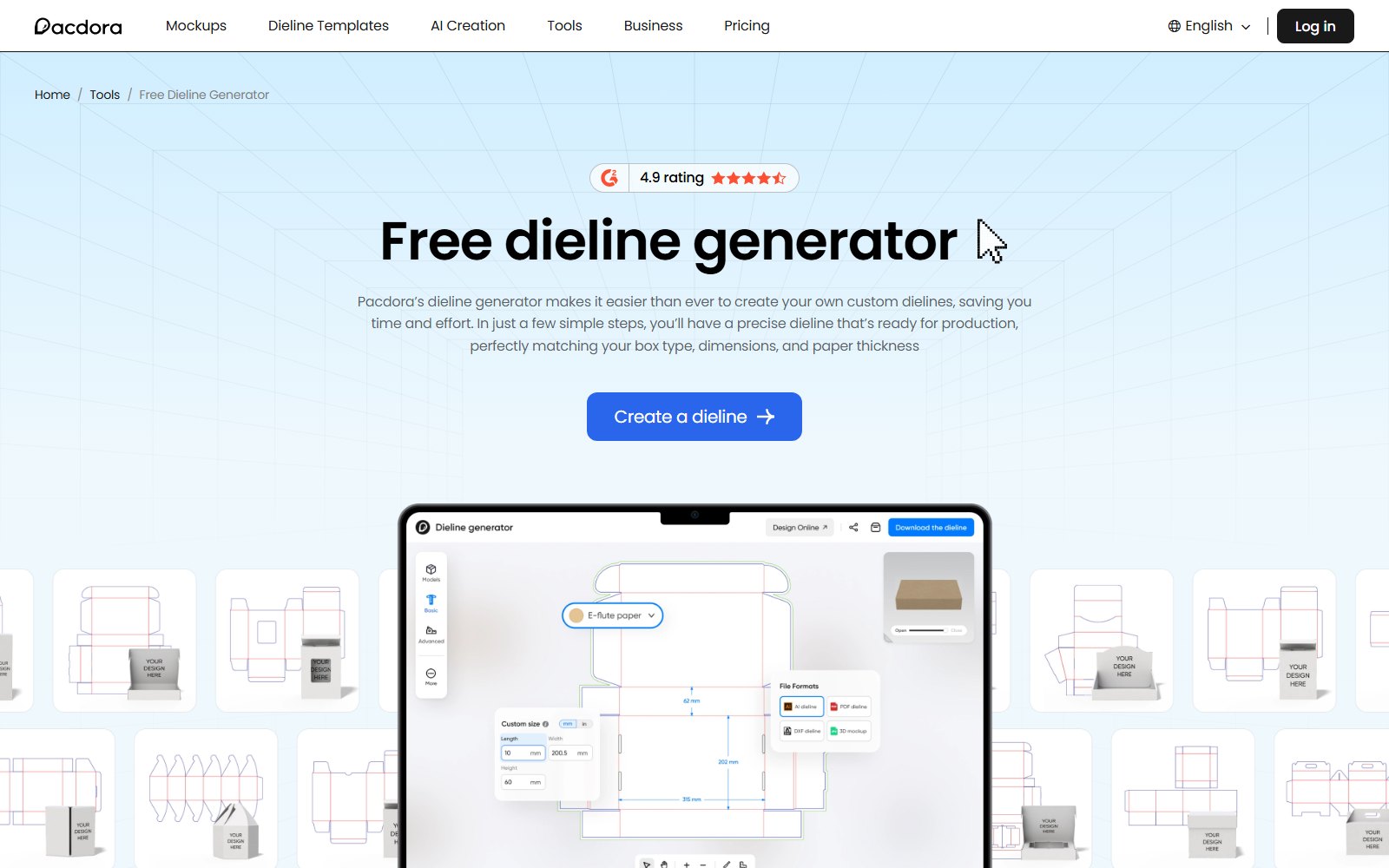
This is the part that surprised us. You pick a box type, type in the dimensions, choose material and thickness, and Pacdora draws the dieline for you. Export is available in AI, PDF and DXF, so your printer gets a file they can actually use. Pacdora states you can create and customise a dieline for free.
3D editor and AI backgrounds
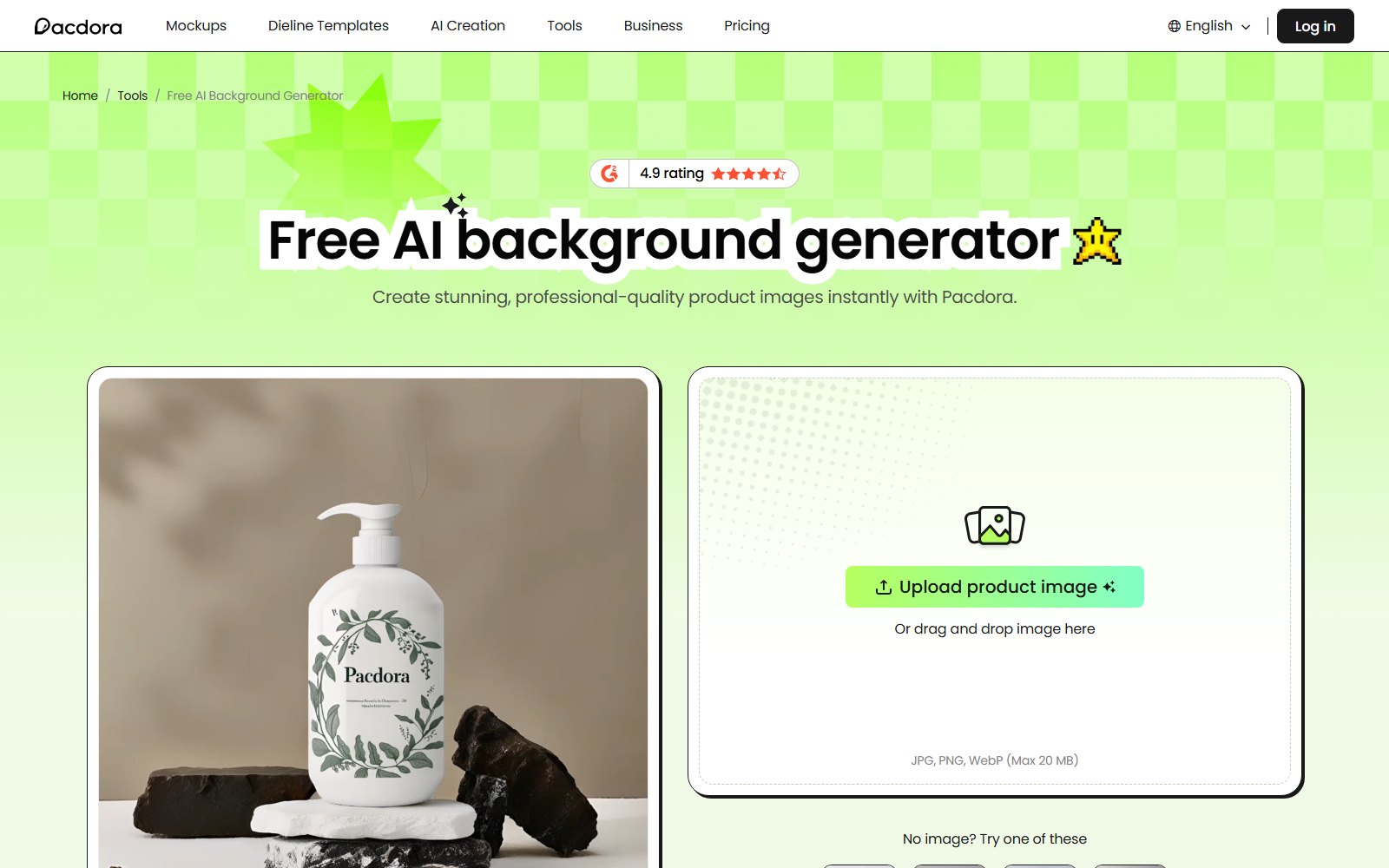
Beyond the flat mockup you can build a small scene: place several packs together, change the background, and use the AI background generator instead of shooting a set. For product pages and ads this is usually all you need.
Template library
The library covers most standard packaging: mailer and tuck-end boxes, gift boxes, paper bags, pouches, cans, jars, tubes, and food packaging like pizza boxes and cups. Apparel and device mockups — T-shirts, hoodies, tote bags, phones — sit in the same library, which is useful when a brand needs more than the box.
Who Pacdora is for
This Pacdora review is aimed at four groups:
- Agencies and freelancers who need client-ready packaging visuals the same day.
- Brand owners and e-commerce sellers preparing product and listing images.
- Print buyers who need correct dielines without hiring a structural designer.
- Anyone who needs one mockup occasionally and doesn’t want to buy a PSD pack for it.
How it works: three steps
- Pick a template. Choose the packaging type, then set size, material and thickness.
- Upload your artwork. Drop your design onto the model and adjust the placement.
- Export. Download the 3D mockup as an image, or the dieline as AI, PDF or DXF.
Pacdora pricing
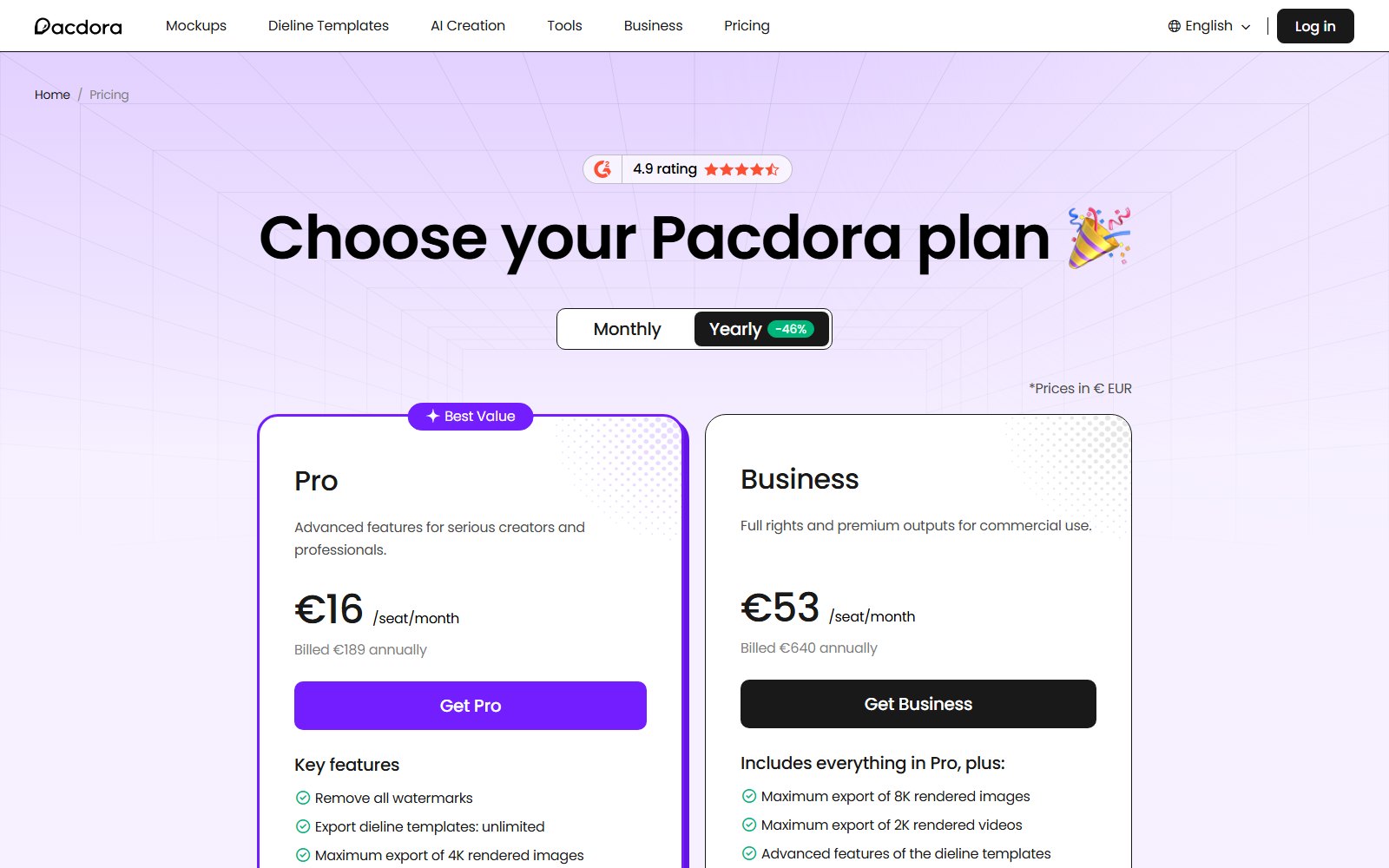
Pacdora has a free plan and two paid plans, Pro and Business. The free plan is enough to try the editor and build a dieline; paid plans remove watermarks, raise export resolution, add AI credits and, on the top tier, allow commercial use.
These were the prices on the Pacdora pricing page on 18 September 2026, quoted in euros:
- Free — €0. Unlimited projects and image uploads, but exports carry a watermark and there is no use authorisation.
- Pro — €16 per seat per month billed annually (€189 a year), or €26 per seat billed monthly. Removes watermarks, unlimited dieline template exports, 4K image and 1080p video export, 3,000 AI credits a month. Personal use only.
- Business — €53 per seat per month billed annually (€640 a year), or €89 per seat billed monthly. Adds 8K image and 2K video export, advanced dieline features, 10,000 AI credits a month, and a commercial use and resale licence.
Pacdora does not advertise a free trial on paid plans — the free plan is the way to try it. You can cancel a subscription at any time and keep the paid features until the period you have already paid for runs out. Refunds are limited: Pacdora will consider one by email if you have exported fewer than three times since paying, and one-time purchases are not refundable.
Prices change, so check the current plans on Pacdora’s pricing page before you decide.
Pros and cons
What we like
- 3D mockup from flat artwork in a couple of minutes
- Print-ready dielines with exact dimensions, in AI, PDF and DXF
- Large library: 7,732 mockups and 2,060 dieline templates
- No installation, nothing to learn first — it runs in the browser
- A free plan that is enough to build and customise a dieline
Worth noting
- Less control over lighting and render quality than Photoshop or Blender
- Rendering is slower on the free plan; render speed is a paid feature
- No free trial on the paid plans, and refunds only within a narrow window
- Commercial use and resale sit on the Business tier — check the plan before client work
- Browser-only: no offline mode, and prices are billed in euros
Pacdora vs the usual alternatives
Most people reading a Pacdora review are weighing it against something they already own or already pay for. Here is how the four usual routes to a packaging visual compare.
| Pacdora | PSD mockups + Photoshop | Canva | Marketplace dieline packs | |
|---|---|---|---|---|
| 3D preview | Yes, built in | Yes, via smart objects | Limited | No |
| Print-ready dielines | Yes (AI, PDF, DXF) | No | No | Yes, fixed sizes |
| Custom dimensions | Yes | No | No | Rarely |
| Needs design skills | No | Yes | No | Yes |
| Time to first mockup | Minutes | 30+ minutes | Minutes | Hours |
| Cost | Free plan + paid plans | Photoshop + mockup packs | Subscription | Per pack |
Frequently Asked Questions
Is Pacdora free?
There is a free plan, and Pacdora says you can create and customise a dieline for free. Paid plans remove watermarks and add faster rendering, higher-resolution exports and more AI credits. There is no free trial on the paid plans — the free plan is how you try it.
What file formats can I export from Pacdora?
Dielines export as AI, PDF and DXF. Mockups export as images, with the maximum resolution depending on your plan: up to 4K on Pro and up to 8K on Business.
Do I need Photoshop or Illustrator to use Pacdora?
No. Everything happens in the browser. You’ll only need Illustrator if you want to edit an exported dieline further.
Can I use Pacdora mockups for client work?
Only on the top tier. Pro is licensed for personal use; commercial use and the resale licence come with the Business plan, so check the plan before you use a render in paid client work.
Can I set exact box dimensions in Pacdora?
Yes. That’s the main advantage over ready-made PSD mockups: you type the length, width and height, pick the material and thickness, and the dieline is generated for those values.
What are the alternatives to Pacdora?
Classic PSD mockups in Photoshop, Canva for simple visuals, or dieline packs from marketplaces. Pacdora sits in between: faster than Photoshop, more precise than Canva.
Pacdora review: our verdict
If packaging mockups and dielines are an occasional task rather than your whole job, Pacdora saves the most time of anything we tested. Start on the free plan, make one dieline and one mockup, and you’ll know within ten minutes whether it fits your workflow.
Related reading
- 25 Best Responsive WordPress Agency Themes — for the studio site that shows the packaging work.
- 69 Best WordPress WooCommerce Themes — for the shop where the product images end up.
- Affiliate Marketing — the rest of our tool reviews and money-side guides.
